
0 of 229
Work smarter, not harder. Tips to help you get more done and make the most of your time.
- Organise Safari Tabs Automatically into Topics in iOS 27
 1:40
1:40 - How to Use Siri AI as a Personal Assistant in iOS 27
 1:59
1:59 - How to Create a Pass in Apple Wallet in iOS 27
 2:37
2:37 - How to Add Keywords to Photos in iOS 27
 1:33
1:33 - Write and Send Emails with Write with Siri in iOS 27
 1:22
1:22 - Get Webpage Update Alerts with Notify Me in Safari
 1:54
1:54 - Proofread Your Writing with Siri AI in iOS 27
 1:22
1:22 - Create Calendar Events with Siri AI in iOS 27
 1:37
1:37 - A Tour of the New Siri App in iOS 27
 2:04
2:04 - Where to Find Notifications in iOS 27
 0:53
0:53 - How to Create Text Replacement Shortcuts on iPhone
 0:59
0:59 - Edit Keynote, Numbers and Pages Images in Pixelmator Pro
 1:04
1:04 - How to Hide and Colour Tabs in Numbers
 1:17
1:17 - How to Generate Custom Shapes in Keynote, Numbers and Pages with AI
 1:46
1:46 - How to Customise Your Toolbar in Keynote, Numbers and Pages
 1:27
1:27 - Use Your iPhone as a Tape Measure with the Measure App
 1:04
1:04 - Convert Currency on iPhone with the Calculator App
 0:53
0:53 - Automatically Organise Long Reminders Lists
 1:03
1:03 - Remove Shorts from your YouTube Home Page
 1:24
1:24 - How to use Picture In Picture Mode in YouTube for Free
 1:27
1:27 - How to Translate Any Text Instantly with Google Lens
 1:21
1:21 - How to Record Your iPhone Screen
 1:53
1:53 - Navigate Large Freeform Boards using Scenes
 3:18
3:18 - Slide Over and Split View in iPadOS 26
 2:38
2:38 - How to Make Meeting Templates in Notes
 2:06
2:06 - Change the Size, Colour and Style of Your iPad Cursor
 1:58
1:58 - Add Reminders from Control Centre!
 1:41
1:41 - Auto-Categorise Reminders with Apple Intelligence
 1:34
1:34 - How to Use Grouping and List View in Files
 2:38
2:38 - Customise Folders with Colours and Emoji
 2:55
2:55 - Pin Folders to the Dock on iPadOS 26
 2:09
2:09 - How to Use Multitasking in iPadOS 26
 8:02
8:02 - Stop Spam Calls with iOS 26 Call Screening
 2:03
2:03 - Create 3D Graphs in Notes
 1:37
1:37 - Convert iPhone Notes to Markdown Format
 1:15
1:15 - Turn Clipboard Content into a PDF Document
 1:27
1:27 - Autofill Documents and Forms
 1:20
1:20 - How to Sign any PDF Document
 1:47
1:47 - How to Resize and Rotate PDFs
 1:20
1:20 - Turn Paper into PDFs with the Preview App
 2:51
2:51 - Instant Reminders from the Lock Screen
 1:51
1:51 - How to Circle and Search Anything on Your iPhone
 1:23
1:23 - Change Snooze Timer to 1–15 Minutes on iPhone Alarm (iOS26 Public Beta)
 1:44
1:44 - Add Events to iPhone Calendar with Just a Screenshot!
 1:16
1:16 - Save iPhone Battery with Adaptive Power (iOS 26 Public Beta)
 1:13
1:13 - How to Auto-Organise Your Reminders with Apple Intelligence (iOS 26 Public Beta)
 1:34
1:34 - Restore the Full-Size Keyboard on iPad
 1:46
1:46 - Start Focus or Sleep Playlists from Control Centre
 2:14
2:14 - Use ChatGPT with your On Screen Content through Siri
 2:24
2:24 - How to Organise Ideas with Quick Notes
 1:38
1:38 - How to Solve and Edit Equations with Math Notes
 2:27
2:27 - How to Notify Guests of Event Changes in Apple Invites
 1:24
1:24 - How to Accept Event Invitations Using Apple Invites
 1:52
1:52 - How to Invite Guests to Your Event Using Apple Invites
 2:45
2:45 - Use ChatGPT with On-Screen Content
 1:55
1:55 - Enabling ChatGPT Integration within Siri
 1:58
1:58 - Summarise Notifications with Apple Intelligence
 1:47
1:47 - Turn Your Inbox Into Actionable Message Summaries
 2:01
2:01 - Make Text More Professional, Friendly or Concise with Apple Intelligence
 1:39
1:39 - Streamline Your Notifications with Apple Intelligence’s New Reduce Interruptions Focus
 2:37
2:37 - Summarise Notifications with Apple Intelligence
 1:19
1:19 - Customise iPad’s New Reduce Interruptions Focus Mode
 2:18
2:18 - Create Bullet Points and Summarise Text with Apple Intelligence
 1:58
1:58 - How to Proofread and Improve your Writing with Apple Intelligence
 2:06
2:06 - Using Apple Intelligence to Summarise Text and Make Bullet Points
 1:45
1:45 - Change Your Writing Style with Apple Intelligence
 1:29
1:29 - Quick Email Summaries with Apple Intelligence
 1:57
1:57 - Use Siri as Your Personal Tech Support
 1:00
1:00 - Proofread and Rewrite Text Using Apple Intelligence
 1:46
1:46 - Use Siri Quietly with the New Typed Input Feature
 1:17
1:17 - Make Calculations Easy with Math Notes
 2:30
2:30 - Personalise Your Photos App Layout
 1:10
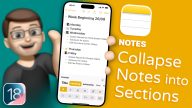
1:10 - Organise Your Notes with Collapsible Sections
 2:16
2:16 - Three Tips to Quickly Move Between Pages in Control Center
 1:39
1:39 - Organise Your Favourite Photos with Pinned Collections
 1:45
1:45 - Quickly Sync Your Photo Library with iCloud
 1:26
1:26 - Organise Your Freeform Boards with Scenes
 2:46
2:46 - Format USB Drives and External Storage Using Your iPhone
 1:38
1:38 - Ensure Your Important Files Are Always Downloaded
 1:26
1:26 - Add and Organise Multiple Pages in Control Center
 2:17
2:17 - Quickly Browse Photos by Month and Year
 1:33
1:33 - Schedule and Edit Messages with Send Later
 1:56
1:56 - How to Refine and Correct Handwriting
 2:25
2:25 - Quickly Access Specific Photos and Videos
 1:50
1:50 - Run Your Favourite Shortcuts from Control Center
 1:29
1:29 - Record and Automatically Transcribe Calls
 2:04
2:04 - Using Natural Language Search to Find Photos and Videos
 2:14
2:14 - Filter Media In Your Photo Library
 1:36
1:36 - Add Reminders to Your Daily Calendar View
 1:41
1:41 - Easily Search and Find Old Journal Entries
 1:29
1:29 - Search your Call and Voicemail History
 1:22
1:22 - Quickly Search for a Phone Number with T9 Search
 1:43
1:43 - How to Replace Camera and Torch Shortcuts on the Lock Screen
 2:10
2:10 - New Widget Controls for Your Home Screen
 1:46
1:46 - Personalise Control Center by Rearranging and Resizing Buttons
 1:39
1:39 - Add and Remove Buttons and Controls
 1:50
1:50 - Using Smart Annotations for Inline Feedback in Pages
 2:14
2:14 - Set Daily Custom Move, Exercise, and Stand Goals
 1:44
1:44 - Easy Object Alignment with Snap to Grid
 1:30
1:30 - Easier Connectors and Quick Shape Placement
 1:46
1:46 - Creating and Collaborate on Digital Mind Maps in Freeform
 3:11
3:11 - Handwriting to Text with the Scribble Tool on iPad
 2:06
2:06 - Create & Save Custom Walking Routes
 2:30
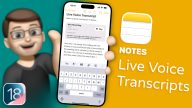
2:30 - Embed Audio Recordings with Live Transcripts
 1:22
1:22 - Using a Virtual Laser Pointer and Annotations during Keynote Presentations
 1:39
1:39 - Convert Currencies, Measurements and More
 1:33
1:33 - Highlight Text in Your Notes with iOS 18’s Highlighting Tools
 1:05
1:05 - Highlighting and Annotating PDFs with a Stylus
 1:49
1:49 - Convert Handwritten Maths Equations to Typed Text in OneNote
 3:08
3:08 - Save Time with the Browse for Me Feature on Arc Search
 1:29
1:29 - A Guide to iPad Dictation: Voice Typing Made Easy
 1:14
1:14 - How to Set Up and Use Background Sounds on Your iPad
 1:52
1:52 - How to Use Reader Mode in Safari for Distraction-Free Browsing
 1:36
1:36 - Search, Scroll, and Learn: Navigating Podcasts with Transcripts
 1:35
1:35 - Pinch to Summarise: a Whole New Way to Browse the Web
 1:20
1:20 - Recording and Sharing Classroom Input with iPad and Skriva Stylus
 1:58
1:58 - How to Open and Edit your Notes in the Pages App on iPad
 1:13
1:13 - Organise your Journal with Filters and Bookmarked Entries
 1:27
1:27 - Set Up Time to Write Reminders to Encourage you to Add Journal Entries
 1:02
1:02 - How to Edit Widgets in Standby Mode on iOS 17
 2:33
2:33 - Using Interactive Widgets on your Home Screen
 1:35
1:35 - No More Annoying Typos with Improved Autocorrect
 1:26
1:26 - Embed and Interact with PDF Documents in your Notes App
 1:25
1:25 - Using Autocomplete on the Keyboard
 0:59
0:59 - Let Siri Read a Website to you in Safari
 1:45
1:45 - Autofill PDF Forms with Powerful Files App Tools
 1:24
1:24 - How to Set Up and Use Multiple Timers in the Clock App
 1:52
1:52 - Better Organise your Notes with Inter-Linking Note Options
 1:43
1:43 - Quickly Locate what you need with iMessage Search Filters
 1:23
1:23 - Automatically Organise your Shopping List with Reminders
 1:42
1:42 - How to Create Pet Albums and Auto-Tag Pets in Photos
 2:05
2:05 - Using Multiple Commands with Siri
 1:10
1:10 - How to Track Your Loved One’s Flight in Real-Time with Flighty App
 2:20
2:20 - Create and Edit Text and Sticky Notes
 2:34
2:34 - Maximise Productivity with Custom Toolbars in Keynote
 1:44
1:44 - How to Hide Notifications on Your iPhone 14 Pro’s Always On Display
 1:00
1:00 - Introduction to the Infinite Canvas
 1:02
1:02 - Enable a Pure Black Always-On-Display
 0:58
0:58 - Create and Edit Text and Sticky Notes
 2:18
2:18 - Embedding Websites and Attaching Documents
 1:57
1:57 - Shapes and Custom Shape Styles
 2:24
2:24 - How to Export and Share a Board as a PDF
 1:23
1:23 - Adding Lines, Arrows and Linked Connectors
 2:22
2:22 - Introduction to the Infinite Canvas
 1:21
1:21 - Working with Photos and Videos
 2:27
2:27 - How to Export and Share a Board as a PDF
 1:22
1:22 - Adding Lines, Arrows and Linked Connectors
 2:44
2:44 - Shapes and Custom Shape Styles
 2:22
2:22 - Embedding Websites and Attaching Documents
 1:39
1:39 - Working with Photos and Videos
 2:02
2:02 - Change the Resolution of your iPad to Maximise Screen Space
 1:52
1:52 - Enable Severe Weather Alerts
 0:38
0:38 - Create Multi-Stop Routes in Maps
 1:02
1:02 - Getting Started with Stage Manager
 3:03
3:03 - Using the new Enhanced Dictation on iOS 16
 1:20
1:20 - Create Automatic Smart Folders to Sort your Notes
 1:21
1:21 - How to use Shared Tab Groups in Safari
 1:51
1:51 - Switch Lock Screens with Focus Modes
 1:55
1:55 - Use Focus Filters to Split Emails between Work + Home
 2:15
2:15 - Pin Favourite Tabs in Safari
 1:15
1:15 - Pin a Frequently Used List to the Top of Reminders
 0:47
0:47 - Create and Re-Use a Reminders Template List
 1:38
1:38 - How to Lock a Specific Note with FaceID
 2:30
2:30 - Convert Data from within the Camera
 2:21
2:21 - Automatic Medication Reminders
 2:41
2:41 - Track Apple Pay Orders in the Wallet App
 1:48
1:48 - Creating Multi-Stop Routes in Maps
 1:40
1:40 - Schedule an Email to Send Later
 1:42
1:42 - Detect and Delete Duplicate Photos to save iCloud Space
 2:48
2:48 - Bulk Edit your Photographs Quickly and Easily
 2:10
2:10 - Use Live Text in your Videos
 1:36
1:36 - Mark iMessages as Unread in Messages
 1:16
1:16 - How to use Mail Merge in Pages for iPad
 5:10
5:10 - How to Scan In Old Photographs on iPhone
 1:52
1:52 - How to Cancel App Store Subscriptions
 1:29
1:29 - Take Control of Focus and Do Not Disturb Modes
 1:25
1:25 - How to Screen Record on iPhone
 2:49
2:49 - How You Can Use Tags to Organize Reminders
 1:53
1:53 - Recolour your Folder Icons in Two Clicks
 2:22
2:22 - Use Smart NFC Chips in your Bank Cards to Open Apps
 3:56
3:56 - Use Siri to get a Random Wallpaper
 4:47
4:47 - Scan Text using your iPhone Camera
 1:51
1:51 - Screen Mirror your iPhone + iPad to your Mac
 1:35
1:35 - Use Live Text For Translation and More
 1:53
1:53 - Share your iPhone Screen over a FaceTime Call
 3:01
3:01 - How to Change Watch Faces Automatically with Focus
 5:17
5:17 - How to Automatically Change your Wallpaper with Focus Modes
 6:38
6:38 - How to Insert Text using the Camera with Live Text
 2:53
2:53 - Open Multiple Keynote Documents at the Same Time with App Shelf
 2:39
2:39 - How to use Live Text to Search Photos Contents
 1:54
1:54 - How to use the App Library
 3:09
3:09 - How to Automatically Switch Home Screens with Focus
 4:05
4:05 - Change the Address Bar Location in Safari
 2:31
2:31 - Place Widgets Anywhere on iPad
 2:21
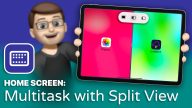
2:21 - How to use Split View to Multitask on iPad
 2:11
2:11 - How to Set Up and Use Focus Modes
 4:07
4:07 - Drag and Drop Content
 1:59
1:59 - How to Take Great Screenshots on your Mac
 2:57
2:57 - How to Take Control of System Preferences on macOS | Hide Icons, Sort + Search!
 2:11
2:11 - How to Set Up and Use AirTags
 3:16
3:16 - Unlock Your iPhone While Wearing a Mask
 2:05
2:05 - How to Sign a PDF Document on your Mac
 2:37
2:37 - Auto-Changing Wallpapers on your iPhone with Shortcuts
 4:32
4:32 - How to Extend your Mac Screen with your iPad
 6:09
6:09 - How to model Remote Learning activities using Screen Record in Showbie
 2:25
2:25 - How to get a Daily Siri Briefing with the Daily Update feature
 2:08
2:08 - How to measure your height using the LiDAR Scanner
 1:25
1:25 - How to setup + transfer all your data onto your new iPhone with iCloud
 4:57
4:57 - How to use Lined Paper and Grids
 1:07
1:07 - How to Convert your Handwriting to Typed Text with the Apple Pencil Scribble Tool
 2:32
2:32 - How to Create and Use Smart Stack Widgets on iPad
 2:17
2:17 - How to Use and Edit the Widgets on iPad
 2:15
2:15 - How to Record Measurements on your iPad
 2:27
2:27 - How to use an iPhone or Apple Watch to Remotely Control your Keynote Presentation on your iPad
 1:53
1:53 - How to Resize Videos before Uploading on Showbie for iOS and iPad
 2:25
2:25 - How to use iCloud Folder Sharing
 1:32
1:32 - How to Assign Activities for Pupils using Sessions
 1:52
1:52 - How to Collaborate and Work Together on Documents in Pages
 2:04
2:04 - How to use Voice Dictation to transcribe text on iPad
 1:31
1:31 - How to use the Smart Annotation tools in the Pages App on iPad
 1:41
1:41 - How to use the Document Scanner
 1:43
1:43 - How to take Screenshots with the Apple Pencil
 1:11
1:11 - How to use the Safari Download Manager
 1:09
1:09 - How to Zip and Unzip Documents
 1:10
1:10 - How to add a Dark Mode toggle to Control Center
 1:06
1:06 - How to keep Widgets pinned to the Home Screen
 1:05
1:05 - How to Automatically Close Tabs in Safari after a Day, Week or Month
 1:07
1:07 - Save Full Page Screenshots as PDF Files
 1:16
1:16 - How to use Finger Gestures to Undo and Redo
 0:55
0:55